
This course is part of Elevate Academy’s top-rated offerings—trusted by global organizations to train their IT teams and upskill professionals for high-impact roles.



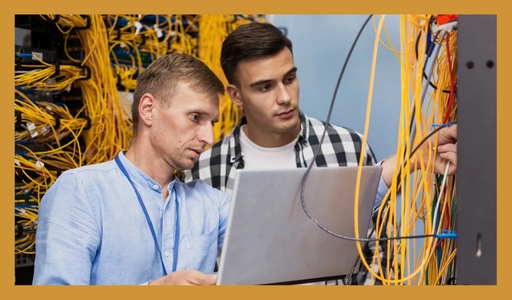
The Elevate Academy Certified IT Infrastructure Manager course delivers in-depth training to help you build a strong foundation in IT infrastructure management. This program includes hands-on modules aligned with CompTIA Hardware A+ and CompTIA Network+ (N10-008), ensuring you’re equipped with industry-recognized skills. Designed for real-world relevance, the course provides 100% placement assistance, helping you confidently step into roles in network administration, system support, and cloud-based infrastructure management.
This course is part of Elevate Academy’s top-rated offerings—trusted by global organizations to train their IT teams and upskill professionals for high-impact roles.
The Elevate Academy Certified Testing Expert program is a comprehensive training path designed to prepare you for a successful career in software testing. This course includes in-depth instruction aligned with the ISTQB Manual Tester certification (45 hours), advanced Manual Testing training (90 hours), and hands-on practice with Selenium Java and Selenium Python. You will also gain practical experience with tools like Cucumber, Soap, and Appium (45 hours), making you proficient in both manual and automation testing. With 100% placement assistance, Elevate Academy ensures you are ready to enter the job market with confidence and capability.
This program empowers you to master the core principles and practices of software testing. You will learn to design and execute effective test plans, create and manage test cases, and track issues through defect management processes. The course also covers essential topics such as automation testing, performance testing, and test reporting, providing a well-rounded understanding of both manual and automated testing methodologies.
Install and Configure Laptop Hardware O1. Hardware/Device Replacement
Battery
Keyboard/Keys
Random Access Memory (RAM)
Hard Disk Drive (HDD)/Solid State Drive (SSD) Migration
HDD/SSD Replacement
Wireless Cards
Physical Privacy and Security Components
Biometrics
Near-Field Scanner Features
Display Components of Mobile Device Types O1. Liquid Crystal Display (LCD)
In-Plane Switching (IPS)
Twisted Nematic (TN)
Vertical Alignment (VA)
Organic Light-Emitting Diode (OLED)
Mobile Display Components
WiFi Antenna Connector/Placement
Camera/Webcam
Microphone
Touch Screen/Digitizer
Inverter
Configure Accessories O1. Connection Methods
Universal Serial Bus (USB)/ USB-C/ microUSB/ miniUSB
Lightning
Serial Interfaces
Near-Field Communication (NFC)
Bluetooth
Hotspot
Accessories
Touch Pens
Headsets
Speakers
Webcam
Docking Station
Port Replicator
Trackpad/Drawing Pad
Ports and Protocols
20/21 - File Transfer Protocol (FTP)
22 - Secure Shell (SSH)
23 - Telnet
25 - Simple Mail Transfer Protocol (SMTP)
53 - Domain Name System (DNS)
67/68 - Dynamic Host Configuration Protocol (DHCP)
80 - Hypertext Transfer Protocol (HTTP)
110 - Post Office Protocol 3 (POP3)
137/139 - Network Basic Input/Output System (NetBIOS)/ NetBIOS over TCP/IP (NetBT)
143 - Internet Mail Access Protocol (IMAP)
161/162 - Simple Network Management Protocol (SNMP)
389 - Lightweight Directory Access Protocol (LDAP)
443 - Hypertext Transfer Protocol Secure (HTTPS)
445 - Server Message Block (SMB)/Common Internet File System (CIFS)
3389 - Remote Desktop Protocol (RDP)
TCP vs. UDP
Connection-Oriented
Routers
Switches
Managed
Unmanaged
Access Points
Patch Panel
/i>Firewall
Power over Ethernet (PoE)
Injectors
Switch
PoE Standards
Hub
Cable Modem
Digital Subscriber Line (DSL)
Optical Network Terminal (ONT)
Network Interface Card (NIC)
Software-Defined Networking (SDN)
Networking and Wireless Technologies Frequencies
2.4GHz
5GHz
Channels
Regulations
2.4GHz vs. 5GHz
Bluetooth
Overview of Bluetooth
802.11 Standards
802.11a
802.11b
802.11g
802.11n
802.11ac (WiFi 5)
802.11ax (WiFi 6)
Long-Range Fixed Wireless
Licensed
Unlicensed
Power
Regulatory Requirements for Wireless Power
NFC
Near-Field Communication (NFC)
Radio-Frequency Identification (RFID)
Server Roles O1. Server Roles
DNS
DHCP
File Share
Print Servers
Mail Servers
Syslog
Web Servers
Authentication, Authorization, and Accounting (AAA)
Internet Appliances
Spam Gateways
Unified Threat Management (UTM)
Load Balancers
Proxy Servers
Legacy/Embedded Systems
Supervisory Control and Data Acquisition (SCADA)
Internet of Things (IoT) Devices
Overview of IoT Devices
Internet Protocol (IP) Addressing
IPv6
Automatic Private IP Addressing (APIPA)
Static
Dynamic
Gateway
Common Network Configuration O1. DNS
Address A
- AAAA
Internet Connection Types
Satellite
Fiber
Cable
DSL
Cellular
Wireless Internet Service Provider (WISP)
Network Types
Local Area Network (LAN)
Wide Area Network (WAN)
Personal Area Network (PAN)
Metropolitan Area Network (MAN)
Storage Area Network (SAN)
Wireless Local Area Network (WLAN)
Crimper
Cable Stripper
WiFi Analyzer
Toner Probe
Punchdown Tool
Cable Tester
Loopback Plug
Network Tap
Network Cables
Shielded Twisted Pair (STP)
- Direct Burial
Plenum
Optical
- Fiber
T568A/T568B
Peripheral Cables
USB 2.0
USB 3.0
Serial
Thunderbolt
Video Cables
High-Definition Multimedia Interface (HDMI)
DisplayPort
Digital Visual Interface (DVI)
Video Graphics Array (VGA)
Hard Drive Cables
Serial Advanced Technology Attachment (SATA)
Small Computer System Interface (SCSI)
External SATA (eSATA)
Integrated Drive Electronics (IDE)
Adapters
Overview of Adapters
Connector Types
RJ11
RJ45
F Type
Straight Tip (ST)
Subscriber Connector (SC)
Lucent Connector (LC)
Punchdown Block
microUSB
miniUSB
USB-C
Molex
Lightning Port
DB9
RAM Types
Virtual RAM
Small Outline Dual Inline Memory Module (SODIMM)
Double Data Rate 3 (DDR3)
Double Data Rate 4 (DDR4)
Double Data Rate 5 (DDR5)
Error Correction Code (ECC) RAM
Single-Channel RAM
Overview of Single-Channel RAM
Dual-Channel RAM
Overview of Dual-Channel RAM
Triple-Channel RAM
Overview of Triple-Channel RAM
Quad-Channel RAM
Overview of Quad-Channel RAM
Hard Drives
Form Factor
- 2.5
- 3.5
SSDs
Communications Interfaces
- Non-Volatile Memory Express (NVMe)
- SATA
- Peripheral Component Interconnect Express (PCIe)
Form Factors
- M.2
- mSATA
Drive Configurations
Redundant Array of Independent (or Inexpensive) Disks (RAID) 0, 1, 5, 10
Removable Storage
Flash Drives
Memory Cards
Optical Drives
Motherboard Form Factor
Advanced Technology eXtended (ATX)
Information Technology eXtended (ITX)
Motherboard Connector Types
Peripheral Component Interconnect (PCI)
PCI Express (PCIe)
Power Connectors
SATA
eSATA
Headers
M.2
Motherboard Compatibility
CPU Sockets
- Advanced Micro Devices, Inc. (AMD)
- Intel
Server
Multisocket
Desktop
Mobile
Basic Input/Output System (BIOS)/Unified Extensible Firmware Interface (UEFI) Settings
Boot Options
USB Permissions
Trusted Platform Module (TPM) Security Features
Fan Considerations
Secure Boot
Boot Password
Encryption
Trusted Platform Module (TPM)
Hardware Security Module (HSM)
CPU Architecture
x64/x86
Advanced RISC Machine (ARM)
Single-Core
Multicore
Multithreading
Virtualization Support
Expansion Cards
Sound Card
Video Card
Capture Card
Network Interface Card (NIC)
Cooling
Fans
Heat Sink
Thermal Paste/Pads
Liquid
Input 110-120 VAC vs. 220-240 VAC
Output 3.3V vs. 5V vs. 12V
20-pin to 24-pin Motherboard Adapter
Redundant Power Supply
Modular Power Supply
Wattage Rating
Properly Unboxing a Device
Setup Location Considerations
Use Appropriate Drivers for a Given OS
Printer Control Language (PCL) vs. PostScript
Device Connectivity
USB
Ethernet
Wireless
Public/Shared Devices
Printer Share
Print Server
Configuration Settings
Duplex
Orientation
Tray Settings
Quality
Security
User Authentication
Badging
Audit Logs
Secured Prints
Network Scan Services
SMB
Cloud Services
ADF/Flatbed Scanner
Overview of ADF (Automatic Document Feeder)
Flatbed Scanner Features
Laser Printers
Components
- Imaging Drum
- Fuser Assembly
- Transfer Belt
- Transfer Roller
- Pickup Rollers
- Separation Pads
- Duplexing Assembly
Imaging Process
- Processing
- Charging
- Exposing
- Developing
- Transferring
- Fusing
- Cleaning
Maintenance
- Replace Toner
- Apply Maintenance Kit
- Calibrate
- Clean
Inkjet Printers
Components
- Ink Cartridge
- Print Head
- Roller
- Feeder
- Duplexing Assembly
- Carriage Belt
Calibration
Maintenance
- Clean Heads
- Replace Cartridges
- Calibrate
- Clear Jams
Thermal Printers
Components
- Feed Assembly
- Heating Element
Special Thermal Paper
Maintenance
- Replace Paper
- Clean Heating Element
- Remove Debris
Heat Sensitivity of Paper
Impact Printers
Components
- Print Head
- Ribbon
- Tractor Feed
Impact Paper
Maintenance
- Replace Ribbon
- Replace Print Head
- Replace Paper
3-D Printers
Components
- Filament
- Resin
- Print Bed
Common Cloud Models
Private Cloud
Public Cloud
Hybrid Cloud
Community Cloud
Infrastructure as a Service (IaaS)
Software as a Service (SaaS)
Platform as a Service (PaaS)
Cloud Characteristics
Shared Resources
Metered Utilization
Rapid Elasticity
High Availability
File Synchronization
Desktop Virtualization
Virtual Desktop Infrastructure (VDI) On Premises
VDI in the Cloud
Purpose of Virtual Machines
Sandbox
Test Development
Application Virtualization
- Legacy Software/OS
- Cross-Platform Virtualization
Resource Requirements
Overview of Resource Requirements
Security Requirements
Overview of Security Requirements
Always Consider Corporate Policies, Procedures, and Impacts Before Implementing Changes
Identify the Problem
- Gather Information from the User
- Identify User Changes
- Perform Backups Before Making Changes
- Inquire Regarding Environmental or Infrastructure Changes
Establish a Theory of Probable Cause
If Necessary, Conduct External or Internal Research Based on Symptoms
Test the Theory to Determine the Cause
Once the Theory is Confirmed, Determine the Next Steps to Resolve the Problem
If the Theory is Not Confirmed, Re-establish a New Theory or Escalate
Establish a Plan of Action to Resolve the Problem and Implement the Solution
Refer to the Vendor's Instructions for Guidance
Verify Full System Functionality and, if Applicable, Implement Preventive Measures
Overview of Verification and Preventive Measures
Document the Findings, Actions, and Outcomes
Overview of Documentation Process
Common Symptoms
Power-On Self-Test (POST) Beeps
Proprietary Crash Screens (Blue Screen of Death [BSOD]/Pinwheel)
Black Screen
No Power
Sluggish Performance
Overheating
Burning Smell
Intermittent Shutdown
Application Crashes
Grinding Noise
Capacitor Swelling
Inaccurate System Date/Time
Common Symptoms
Lines Down the Printed Pages
Garbled Print
Toner Not Fusing to Paper
Paper Jams
Faded Print
Incorrect Paper Size
Paper Not Feeding
Multipage Misfeed
Multiple Prints Pending in Queue
Speckling on Printed Pages
Double/Echo Images on the Print
Incorrect Color Settings
Grinding Noise
Finishing Issues
- Staple Jams
- Hole Punch
Incorrect Page Orientation
Common Symptoms
Incorrect Data Source
Physical Cabling Issues
Burned-Out Bulb
Fuzzy Image
Display Burn-In
Dead Pixels
Flashing Screen
Incorrect Color Display
Audio Issues
Dim Image
Intermittent Projector Shutdown
Common Symptoms
Poor Battery Health
Swollen Battery
Broken Screen
Improper Charging
Poor/No Connectivity
Liquid Damage
Overheating
Digitizer Issues
Physically Damaged Ports
Malware
Cursor Drift/Touch Calibration
Common Symptoms
Lines Down the Printed Pages
Garbled Print
Toner Not Fusing to Paper
Paper Jams
Faded Print
Incorrect Paper Size
Paper Not Feeding
Multipage Misfeed
Multiple Prints Pending in Queue
Speckling on Printed Pages
Double/Echo Images on the Print
Incorrect Color Settings
Grinding Noise
Finishing Issues
- Staple Jams
- Hole Punch
Incorrect Page Orientation
Project on Application of data science Part 1
Problem understanding: Loan Approval Prediction
 Read and preprocess data
Data splitting
Classification - Naïve Bayes
Classification – Support Vector Machine
Classification - Random Forest
Classification - Logistic Regression
Train the model
Evaluate performance metrics
Project on Application of data science Part 2
Problem Understanding : Zomato Restaurant Review
Read and preprocess data
NLP
Data Splitting
Classification - Naïve Bayes (Multinomial)
Classification - Support Vector Machine
Classification - Random Forest
Classification – Decision Tree
Classification - Logistic Regression
Train the model
Evaluate performance metrics
Visualization using matplotlib and seaborn
Project on Application of data science Part 3
Problem Understanding : Product Recommendation
Read and preprocess data
Collaborative filtering
Content based filtering
Recommend the product
Evaluate metrics
What is a Network?
Definition and Overview
Concepts for Network +
Data Networking
Communication Process
OSI Model / TCP Model
Overview of OSI Model
Overview of TCP Model
Encapsulation Concepts
Data Encapsulation and Decapsulation within the OSI Model Context
Ethernet Header
Internet Protocol (IP) Header
Transmission Control Protocol (TCP) / User Datagram Protocol (UDP) Headers
TCP Flags
Payload
Maximum Transmission Unit (MTU)
Types of Topologies
Star / Hub-and-Spoke
Mesh
Bus
Ring
Hybrid
Network Types and Characteristics
Peer-to-Peer
Client-Server
Local Area Network (LAN)
Metropolitan Area Network (MAN)
Wide Area Network (WAN)
Wireless Local Area Network (WLAN)
Personal Area Network (PAN)
Campus Area Network (CAN)
Storage Area Network (SAN)
Software-Defined Wide Area Network (SDWAN)
Multiprotocol Label Switching (MPLS)
Multipoint Generic Routing Encapsulation (MGRE)
Service-Related Entry Point
V-Switch
Virtual Network Interface Card (VNIC)
Network Function Virtualization (NFV)
Hypervisor
Provider Links
Satellite
Digital Subscriber Line (DSL)
Cable
Leased Line
Metro-Optical
Copper
Twisted Pair
- CAT 5
- CAT 5e
- CAT 6
- CAT 6A
- CAT 7
- CAT 8
Coaxial / RG-6
Twin Axial
Termination Standards
- TIA / EIA — 568A
- TIA / EIA — 568B
Fiber
Single-Mode
Multimode
Connector Types
Local Connector (LC)
Straight Tip (ST)
Subscriber Connector (SC)
Mechanical Transfer (MT)
Registered Jack (RJ)
Angled Physical Contact (APC)
Ultra-Physical Contact (UPC)
Fiber Standards
100 BASE-FX
100 BASE-SX
1000 BASE-SX
1000 BASE-LX
10 GBASE-SR
10 GBASE-LR
Coarse Wavelength Division Multiplexing (CWDM)
Dense Wavelength Division Multiplexing (DWDM)
Bidirectional Wavelength Division Multiplexing (WDM)
Public Vs. Private
TFC1918
Network Address Translation (NAT)
Port Address Translation (PAT)
IPv4 Vs. IPv6
Automatic Private IP Addressing (APIPA)
Extended Unique Identifier (EUI-64)
Multicast
Unicast
Anycast
Broadcast
Link Local
Loop Back
Default Gateway
IPv4 Subnetting
Classless (Variable-Length Subnet Mask)
Classful
- Class A
- Class B
- Class C
- Class D
- Class E
Classless Inter-Domain Routing (CIDR) Notation
IPv6 Concepts
Tunneling
Dual Stack
Shorthand Notation
Router Advertisement
Stateless Address Auto Configure (SLAAC)
Virtual IP (VIP)
Overview of Virtual IP
Sub-Interfaces
Overview of Sub-Interfaces
Common Ports and Protocols
Explain Common Ports and Protocols, Their Application, and Encrypted Alternatives
Internet Control Message Protocol (ICMP)
TCP
UDP
Generic Routing Encapsulation (GRE)
Internet Protocol Security (IPSec)
Authentication Header (AH) / Encapsulation Security Payload (ESP)
Connectionless vs. Connection-Oriented
DHCP
Scope
Exclusion Ranges
Reservation
Dynamic Assignment
Static Assignment
Lease Time
Scope Options
Available Leases
DHCP Relay
IP Helper / UDP Forwarding
DNS
Record Types
- Address (A vs. AAAA)
- Canonical Name (CNAME)
- Mail Exchange (MX)
- Start of Authority (SOA)
- Pointer (PTR)
- Text (TXT)
- Service (SRV)
- Name Server (NS)
Internal vs. External
Zone Transfers
Authoritative Name Servers
Time to Live (TTL)
DNS Caching
Reverse DNS / Reverse Lookup / Forward Lookup
Recursive Lookup / Iterative Lookup
NTP
Stratum
Clients
Servers
Three-Tiered Network Architecture
Core
Distribution/Aggregation Layer
Access/Edge
Software-Defined Networking
Application Layer
Control Layer
Infrastructure Layer
Management Plane
Spine and Leaf Architecture
Software-Defined Network
Top-of-Rack Switching
Backbone
Traffic Flows
North-South
East-West
Branch Office vs. On-Premises Datacenter vs. Colocation
Branch Office
On-Premises Datacenter
Colocation
Storage Area Networks
Connection Types
Fibre Channel over Ethernet (FCoE)
Fibre Channel
Internet Small Computer Systems Interface (iSCSI)
Deployment Models
Public
Private
Hybrid
Community
Service Models
Software as a Service (SaaS)
Infrastructure as a Service (IaaS)
Platform as a Service (PaaS)
Desktop as a Service (DaaS)
Infrastructure as Code
Automation/Orchestration
Connectivity Options
Virtual Private Network (VPN)
Private-Direct Connection to Cloud Provider
Multitenancy
Overview of Multitenancy
Elasticity
Overview of Elasticity
Scalability
Security Implications
Overview of Security Implications
Networking Devices
Layer 2 Switch
Layer 3 Capable Switch
Router
Hub
Access Point
Bridge
Wireless LAN Controller
Load Balancer
Proxy Server
Cable Modem
DSL Modem
Repeater
Voice Gateway
Media Converter
Intrusion Prevention System (IPS) / Intrusion Detection System (IDS) Device
Firewall
VPN Headend
Networking Devices
Routing
Bandwidth Management
Traffic Shaping
Quality of Service (QoS)
Routing
Dynamic Routing
Protocols
- Routing Information Protocol (RIP)
- Open Shortest Path First (OSPF)
- Enhanced Interior Gateway Routing Protocol (EIGRP)
- Border Gateway Protocol (BGP)
Bandwidth Management
Performance Metrics/Sensors
SNMP (Simple Network Management Protocol)
Network Device Logs
Interface Statistics/Status
Interface Errors or Alerts
Environmental Factors and Sensors
Temperature
Humidity
Electrical
Flooding
Baselines
NetFlow Data
Uptime/Downtime
Overview of Uptime/Downtime
Plans and Procedures
Hardening and Security Policies
Common Documentation
Common Agreements
Non-Disclosure Agreement (NDA)
Service-Level Agreement (SLA)
Memorandum of Understanding (MOU)
Load Balancing
Overview of Load Balancing
O2. Multipathing
Overview of Multipathing
Network Interface Card (NIC) Teaming
Overview of NIC Teaming
Redundant Hardware/Clusters
Switches
Routers
Firewalls
O5. Facilities and Infrastructure Support
Uninterruptible Power Supply (UPS)
Power Distribution Units (PDUs)
Generator
Heating, Ventilation, and Air Conditioning (HVAC)
Fire Suppression
Redundancy and High Availability (HA) Concepts
Cold Site
Warm Site
Hot Site
Cloud Site
Active-Active vs. Active-Passive
Multiple Internet Service Providers (ISPs)/Diverse Paths
Virtual Router Redundancy Protocol (VRRP) / First Hop Redundancy Protocol (FHRP)
Mean Time to Repair (MTTR)
Mean Time Between Failure (MTBF)
Recovery Time Objective (RTO)
Recovery Point Objective (RPO)
Network Device Backup/Restore
State
Configuration
Confidentiality, Integrity, Availability (CIA)
Overview of CIA Triad
O2. Threats
Internal
External
Vulnerabilities
Common Vulnerabilities and Exposures (CVE)
Zero-Day
Exploits
Overview of Exploits
O5. Least Privilege
Overview of Least Privilege
Role-Based Access
Overview of Role-Based Access
O7. Zero Trust
Overview of Zero Trust
Defense in Depth
Network Segmentation Enforcement
Perimeter Network (Previously Known as Demilitarized Zone [DMZ])
Separation of Duties
Network Access Control
Honeypot
Authentication Methods
Multifactor
Terminal Access Controller Access-Control System Plus (TACACS+)
Single Sign-On (SSO)
Remote Authentication Dial-In User Service (RADIUS)
LDAP
Kerberos
Local Authentication
802.1X
Extensible Authentication Protocol (EAP)
Risk Management
Security Risk Assessments
Threat Assessment
Vulnerability Assessment
Penetration Testing
Posture Assessment
Business Risk Assessments
Process Assessment
Vendor Assessment
Security Information and Event Management (SIEM)
Overview of SIEM
Technology-Based Threats
Denial-of-Service (DoS) / Distributed Denial-of-Service (DDoS)
Botnet / Command and Control
On-Path Attack (Previously Known as Man-in-the-Middle Attack)
DNS Poisoning
VLAN Hopping
ARP Spoofing
Rogue DHCP
Rogue Access Point (AP)
Evil Twin
Ransomware
Password Attacks
- Brute-Force
- Dictionary
MAC Spoofing
IP Spoofing
Deauthentication
Malware
Human and Environmental Threats
Social Engineering
Phishing
Tailgating
Piggybacking
Shoulder Surfing
Best Practices
Secure SNMP
Router Advertisement (RA) Guard
Port Security
Dynamic ARP Inspection
Control Plane Policing
Private VLANs
Disable Unneeded Switchports
Disable Unneeded Network Services
Change Default Passwords
Password Complexity/Length
Enable DHCP Snooping
Change Default VLAN
Patch and Firmware Management
Access Control List
Role-Based Access
Firewall Rules
Explicit Deny
Implicit Deny
Wireless Security
MAC Filtering
Antenna Placement
Power Levels
Wireless Client Isolation
Guest Network Isolation
Pre-Shared Keys (PSKs)
EAP
Geofencing
Captive Portal
IoT Access Considerations
Overview of IoT Access Considerations
Remote Access Methods and Security Implications
Site-to-Site VPN
Client-to-Site VPN
- Clientless VPN
- Split Tunnel vs. Full Tunnel
Remote Desktop Connection
Remote Desktop Gateway
SSH
Virtual Network Computing (VNC)
Virtual Desktop
Authentication and Authorization Considerations
In-Band vs. Out-of-Band Management
Detection Methods
Camera
Motion Detection
Asset Tags
Tamper Detection
Prevention Methods
Employee Training
Access Control Hardware
Badge Readers
Biometrics
Locking Racks
Locking Cabinets
Access Control Vestibule (Previously Known as a Mantrap)
Smart Lockers
Asset Disposal
Factory Reset/Wipe Configuration
Sanitize Devices for Disposal
Identify the Problem
Gather Information
Question Users
Identify Symptoms
Determine if Anything Has Changed
Duplicate the Problem, if Possible
Approach Multiple Problems Individually
Establish a Theory of Probable Cause
Question the Obvious
Consider Multiple Approaches
Top-to-Bottom/Bottom-to-Top OSI Model
Divide and Conquer
Test the Theory to Determine the Cause
If the Theory is Confirmed, Determine the Next Steps to Resolve the Problem
If the Theory is Not Confirmed, Reestablish a New Theory or Escalate
Establish a Plan of Action to Resolve the Problem and Identify Potential Effects
Overview of Action Plan
Implement the Solution or Escalate as Necessary
Implement the Solution
Escalate as Necessary
Verify Full System Functionality and, if Applicable, Implement Preventive Measures
Verify Full System Functionality
Implement Preventive Measures
Document Findings, Actions, Outcomes, and Lessons Learned
Overview of Documentation
Specifications and Limitations
Throughput
Speed
Distance
Cable Considerations
Shielded and Unshielded
Plenum and Riser-Rated
Cable Application
Rollover Cable/Console Cable
Crossover Cable
Power over Ethernet (PoE)
Common Issues
Attenuation
Interference
Decibel (dB) Loss
Incorrect Pinout
Bad Ports
Open/Short
Light-Emitting Diode (LED) Status Indicators
Incorrect Transceivers
Duplexing Issues
Transmit and Receive (TX/RX) Reversed
Dirty Optical Cables
Common Tools
Cable Crimper
Punchdown Tool
Tone Generator
Loopback Adapter
Optical Time-Domain Reflectometer (OTDR)
Multimeter
Cable Tester
Wire Map
Tap
Fusion Splicers
Spectrum Analyzers
Snips/Cutters
Cable Stripper
Fiber Light Meter
Software Tools
WiFi Analyzer
Protocol Analyzer/Packet Capture
Bandwidth Speed Tester
Port Scanner
iperf
NetFlow Analyzers
Trivial File Transfer Protocol (TFTP) Server
Terminal Emulator
IP Scanner
Command Line Tools
ping
ipconfig/ifconfig/ip
nslookup/dig
traceroute/tracert
arp
netstat
hostname
route
telnet
tcpdump
nmap
Basic Network Platform Commands
show interface
show config
show route
Specifications and Limitations
Throughput
Speed
Distance
Received Signal Strength Indication (RSSI) Signal Strength
Effective Isotropic Radiated Power (EIRP)/Power Settings
Considerations
Antennas
Placement
Type
Polarization
Channel Utilization
AP Association Time
Site Survey
Common Issues
Interference
Channel Overlap
Antenna Cable Attenuation/Signal Loss
RF Attenuation/Signal Loss
Wrong SSID
Incorrect Passphrase
Encryption Protocol Mismatch
Insufficient Wireless Coverage
Captive Portal Issues
Client Disassociation Issues
Troubleshoot General Networking Issues O1. Considerations
Device Configuration Review
Routing Tables
Interface Status
VLAN Assignment
Network Performance Baselines
Common Issues
Collisions
Broadcast Storm
Duplicate MAC Address
Duplicate IP Address
Multicast Flooding
Asymmetrical Routing
Switching Loops
Routing Loops
Rogue DHCP Server
DHCP Scope Exhaustion
IP Setting Issues
- Incorrect Gateway
- Incorrect Subnet Mask
- Incorrect IP Address
- Incorrect DNS
Missing Route
Low Optical Link Budget
Certificate Issues
Hardware Failure
Host-Based/Network-Based Firewall Settings
Blocked Services, Ports, or Addresses
Incorrect VLAN
DNS Issues
NTP Issues
BYOD Challenges
Licensed Feature Issues
Network Performance Issues
Introduction to Linux
What is an Operating System?
What is Linux OS?
History of Linux
Linux vs. Unix
Linux Flavors / Distributions
Linux Users
Linux vs. Windows
What is VirtualBox?
Overview of VirtualBox
Downloading and Installing Oracle VirtualBox
Steps to Download Oracle VirtualBox
Installation Guide for Oracle VirtualBox
Ubuntu Server vs. Ubuntu Desktop
Differences between Ubuntu Server and Ubuntu Desktop
Creating a VM in VirtualBox
Steps to Create a Virtual Machine in VirtualBox
Download and Install Linux (Ubuntu/CentOS Server)
Downloading Ubuntu/CentOS Server
Installation Guide for Ubuntu/CentOS Server
Download and Install Linux (Ubuntu/CentOS Desktop)
Downloading Ubuntu/CentOS Desktop
Installation Guide for Ubuntu/CentOS Desktop
Real-Time Access to Linux System
Installing Putty or any Other SSH Client
Comparison of Other OS Clients
Linux Command Prompts and Getting Prompts Back
Overview of Linux Command Prompts
Introduction to Linux File System
What is File System?
Different Types of File Systems
How to Find File System Type in Linux and Windows
File System Structure and Description
Overview of File System Structure
File System Navigation Commands (CD, LS, and PWD)
cd
pwd
ls
Linux File or Directory Properties
Overview of File or Directory Properties
Linux File Types
Regular Files (‘-’)
Directory Files (‘d’)
Special Files
- Block File(‘b’)
- Character Device File (‘c’)
- Named Pipe File or Just a Pipe File (‘p’)
- Symbolic Link File (‘l’)
- Socket File(‘s’)
What is Root?
What is Root User / Super User
What is Root Directory
What is Root Home Directory
Change Password in Linux
Change Password for Root User
Change Password for Standard User
Absolute and Relative Paths
Absolute Path
Relative Path
Navigating to File System Using Both Paths
Creating Files and Directories
touch
cp
vi
mkdir
Copying Directories
Overview of Copying Directories
Finding Files and Directories (Find, Locate)
Find
Locate
Difference Between Find and Locate Commands
Overview of Differences
Linux Wildcard Commands
Overview of Wildcard Commands
Soft and Hard Links (ln) in Linux
Soft Links
Hard Links
Linux Command Syntax (Command, Options, Argument)
Overview of Linux Command Syntax
Files and Directory Permissions (Chmod)
First Dash or Bit Identifies the File Type
Second 3 Bits Define the Permission for User (File or Directory Owner)
Third 3 Bits Define the Permission for Group
Fourth 3 Bits Define the Permission for Everyone Else
File Permissions Using Numeric Mode (Chmod 777 file)
File Ownership Commands (Chown, Chgrp)
Linux Access Control List (ACL)
Overview of ACL
Help Commands in Linux
man
whatis
command --help
TAB Completion and Up Arrow Keys in Linux
Overview of TAB Completion and Up Arrow Keys
Adding Text to Files
echo
Redirects > and >>
vi
Input and Output Redirects (>, >>, <, stdin, stdout, and stderr)
Overview of Input and Output Redirects
Standard Output to a File (tee command) in Linux
Overview of tee Command
Linux Pipes (|)
Overview of Linux Pipes
File Maintenance Commands
cp
rm
mv
mkdir
rmdir or rm -rf
chgrp
chown
Files Display Commands
cat
more
less
head
tail
vi
Filters / Text Processing Commands
cut - Text Processing Commands
awk - Text Processing Commands
grep and egrep - Text Processing Commands
sort / uniq - Text Processing Commands
wc - Text Processing Commands
Compare Files (diff and cmp)
Overview of diff and cmp
Compress and Uncompress (tar, gzip, gunzip)
Overview of tar, gzip, and gunzip
Truncate File Size (truncate)
Overview of truncate Command
Combining and Splitting Files
Overview of Combining and Splitting Files
Linux vs. Windows Commands
Comparison of Linux and Windows Commands
Linux Kernel
Overview of Linux Kernel
What is Shell?
Definition and Function of Shell
Types of Shells
Bash
Sh
Csh
Ksh
Zsh
Shell Scripting
Overview of Shell Scripting
Basic Shell Scripts in Linux
#b!/bin/bash
echo "Hello Elysium"
Input and Output of Script
Overview of Input and Output
If-then Scripts in Linux
#B!/bin/bash
if [ -e /home/iofzol/veronico ]
then
echo "File exists"
else
echo "File does not exist"
fi
For Loop Scripts in Linux
#i/bin/bash
if [ -e /home/iofzol/check ]
then
echo "File exists"
else
echo "File does not exist"
fi
Linux do-while Scripts
#!/bin/bash
count=0
num=10
while [ $count -lt 10 ]
do
echo
echo $num seconds left to stop this process
echo
sleep 1
num=$(expr $num - 1)
count=$(expr $count + 1)
done
echo
echo "Process is stopped!!!"
echo
Case Statement Scripts in Linux
#!/bin/bash
echo "Please enter the letter next to the command that you want to select:"
echo 'a. date'
echo 'b. ls'
echo 'c. who'
echo 'd. hostname'
read choice
case $choice in
a) date;;
b) ls;;
c) who;;
d) hostname;;
*) echo "Invalid choice - Bye.";;
esac
Check Remote Servers Connectivity
Overview of Checking Remote Servers Connectivity
Setting up Aliases (alias) in Linux
Overview of Setting up Aliases
User and Global Aliases
Overview of User and Global Aliases
Shell History in Linux
Overview of Shell History
Enable Internet on Linux VM
Open VirtualBox Manager
Select the Machine You Cannot Get Internet on in the Left Pane
Click the Settings Button in the Top Menu
Click Network in the Left Pane in the Settings Window
Switch to Bridged Adapter in the Attached to Drop-Down Menu
Hit OK to Save Your Changes
Start Your VM
Network Components
IP
Subnet Mask
Gateway
Static vs. DHCP
Interface
Interface MAC
Network Files and Commands
Network Files and Commands in Linux
etc/hosts
Version 6 - /etc/sysconfig/network
Version 7 - /etc/hostname
/etc/sysconfig/network-scripts/ifcfg-nic
/etc/resolv.conf
/etc/nsswitch.conf
Network Commands
ping
ifconfig
ifup or ifdown
netstat
tcpdump
NIC Information (ethtool) in Linux
Overview of NIC Information Using ethtool
NIC or Port Bonding
Overview of NIC or Port Bonding
New Network Utilities
nmtui
nmcli
nm-connection-editor
GNOME Settings
Downloading Files or Apps (wget) in Linux
Overview of wget Command
Curl and Ping Commands in Linux
Overview of curl Command
Overview of ping Command
FTP - File Transfer Protocol
Overview of FTP
SCP - Secure Copy Protocol
Overview of SCP
rsync - Remote Synchronization
Overview of rsync
System Updates and Repos
rpm
yum
System Upgrade and Patch Management
Overview of System Upgrade and Patch Management
Create Local Repository from CD/DVD/USB in Linux
Overview of Creating Local Repository
Advanced Package Management
Overview of Advanced Package Management
Rollback Patches and Updates in Linux
Overview of Rolling Back Patches and Updates
SSH and Telnet
SSH and Telnet in Linux
SSH vs. Telnet in Linux
DNS - Download, Install and Configure (Domain Name System) in Linux
Overview of DNS Configuration
Hostname or IP Lookup (nslookup and dig) in Linux
nslookup Command
dig Command
Network Time Protocol
Linux Network Time Protocol
Linux chronyd (New Version of NTP)
New System Utility Command (timedatectl)
Linux Sendmail
Overview of Linux Sendmail
Web Server (Apache - HTTP)
Setting Up a Simple Apache Web Server
Central Logger (rsyslog)
Overview of Central Logging with rsyslog
Securing Linux Machine (OS Hardening)
Overview of OS Hardening
Open LDAP Installation
Overview of Open LDAP Installation
Tracing Network Traffic (traceroute)
Overview of traceroute Command
Configure and Secure SSH
Steps to Configure and Secure SSH
SSH Keys - Access Remote Server Without Password
Overview of SSH Keys
Linux Web-Based Administration (cockpit)
Overview of Cockpit for Web-Based Administration
Firewall
Overview of Firewall Configuration
Tune System Performance (tuned, nice, and renice)
Overview of System Performance Tuning
Run Containers - Dockers and Podman
Overview of Running Containers with Docker and Podman
Kickstart (Automate Linux Installation)
Overview of Kickstart for Automated Installation
DHCP Server
Overview of DHCP Server Configuration
System Run Levels
Overview of System Run Levels
Computer Boot Process
Steps in Computer Boot Process
Linux Boot Process
Stages of Linux Boot Process
Message of the Day
What is Message of the Day (MOTD)?
Customize Message of the Day
Steps to Customize MOTD
Storage
Overview of Storage Types and Concepts
Disk Partition (df, fdisk)
Using df Command
Using fdisk Command
Add Disk and Create Standard Partition
Steps to Add Disk and Create Partition
Logical Volume Management
Overview of Logical Volume Management (LVM)
LVM Configuration During Installation
Steps for LVM Configuration During Installation
Add Disk and Create New LVM Partition (pvcreate, vgcreate, lvcreate)
Using pvcreate Command
Using vgcreate Command
Using lvcreate Command
Extend Disk Using LVM
Steps to Extend Disk Using LVM
Adding Swap Space
Steps to Add Swap Space
Advanced Storage Management with Stratis
Overview of Stratis for Advanced Storage Management
15. RAID (Redundant Array of Independent Disks)
Introduction to RAID
File System Check (fsck and xfs_repair)
Using fsck Command
Using xfs_repair Command
System Backup (dd Command)
Steps for System Backup Using dd Command
Installation and Configuration of Network File System (NFS)
Overview of NFS Installation and Configuration
Samba Installation and Configuration
Steps for Samba Installation and Configuration
NAS Drive for NFS or Samba
Setting Up NAS Drive for NFS or Samba
SATA and SAS
Overview of SATA and SAS Technologies
Gain in-depth knowledge of IT infrastructure—from network management to cloud solutions. This program at Elevate Academy covers all core areas essential for modern IT infrastructure roles.
Work on real-time projects and interactive lab sessions that simulate real-world IT environments. Build practical skills that prepare you for industry challenges.
Prepare thoroughly for the Elevate Certified IT Infrastructure Manager exam with mock tests, curated study materials, and expert guidance to help you succeed.
Learn from seasoned IT professionals with real industry experience. Our instructors offer personal mentorship and deep technical insights throughout the course.
Study on your terms—choose between online or in-person classes. Our flexible format allows you to progress at your own pace without compromising quality.
Boost your career with recognized certification from Elevate Academy. Get access to job placement assistance, resume building, interview prep, and networking opportunities with top employers.